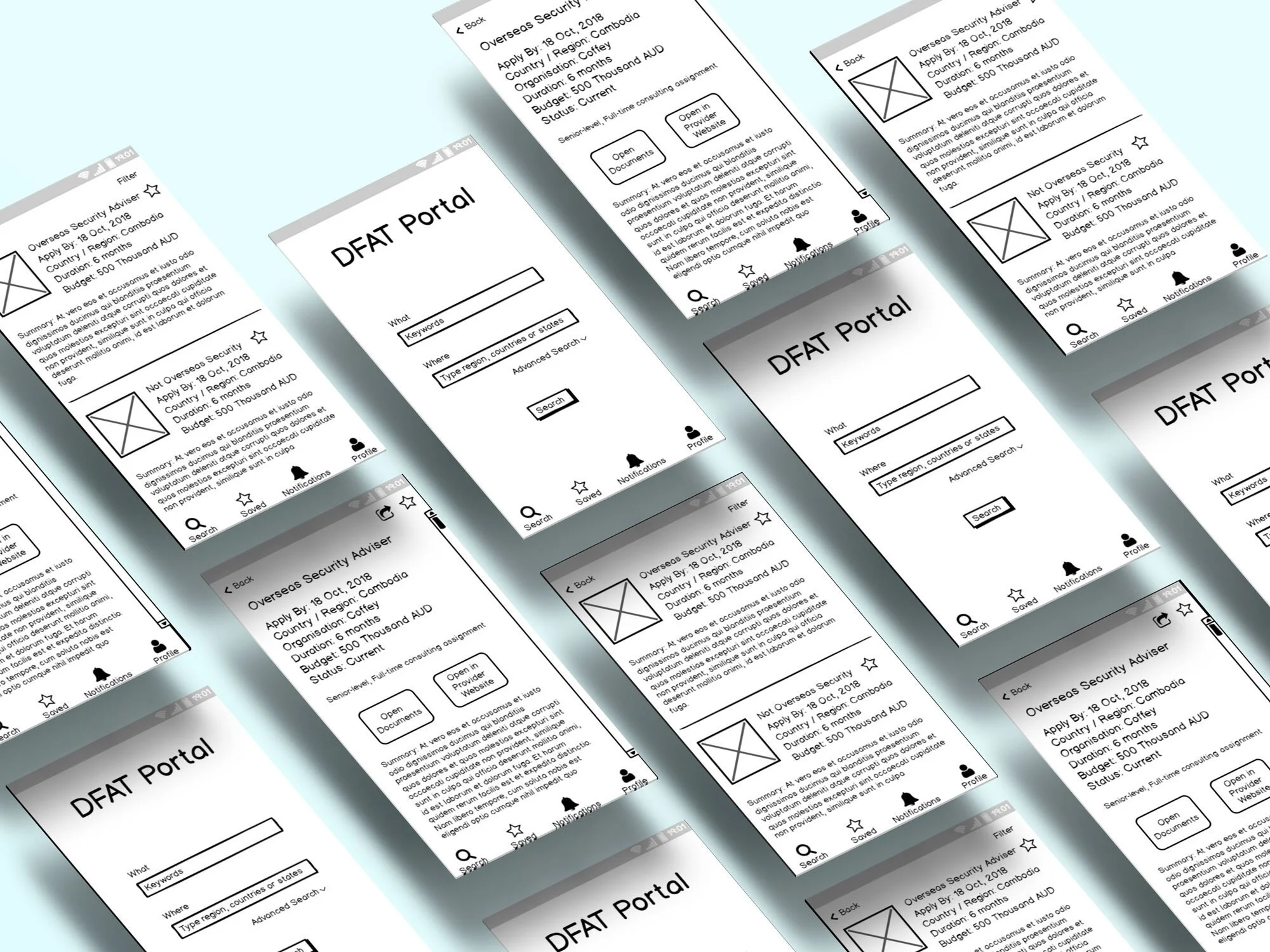


I worked for CRE8IVE as a UX Researcher to identify needs, behaviours and expectations of the users using the Aid Portal being built for Department of Foreign Affairs and Trade (DFAT). The goal of the portal is to increase convenience for Australian Aid primary contractor and sub-contractor companies to search for or post about aid/tender/procurement opportunities, to increase their work efficiency and to save budget. This includes:
1) Increase sub-contractors’ confidence about where to search, what to search, how to search and set up customised notifications.
2) Increase primary contractors’ confidence about where to post, what to post, how to reach the most target audience.
3) Provide smooth user journey to these processes so less time is wasted and more is done.
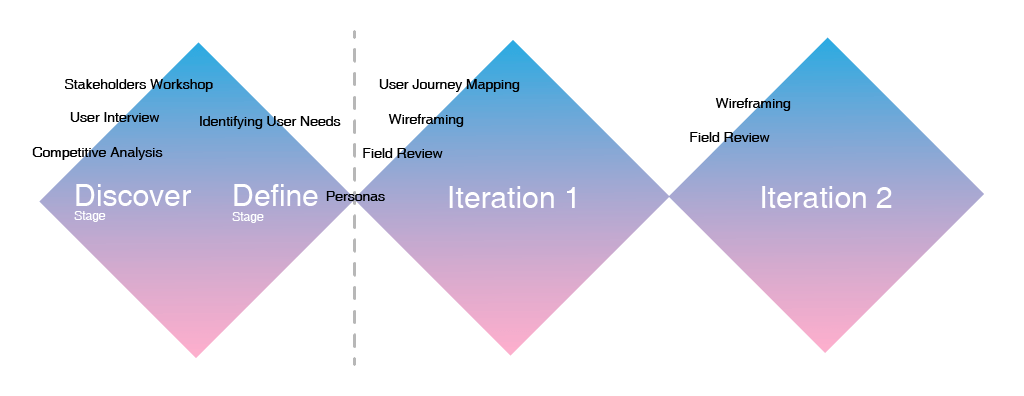
As a UX researcher / designer, my responsibilities in this project include:
1) Facilitate user research, including a workshop with stakeholders and users, and in-depth contextual interviews with users.
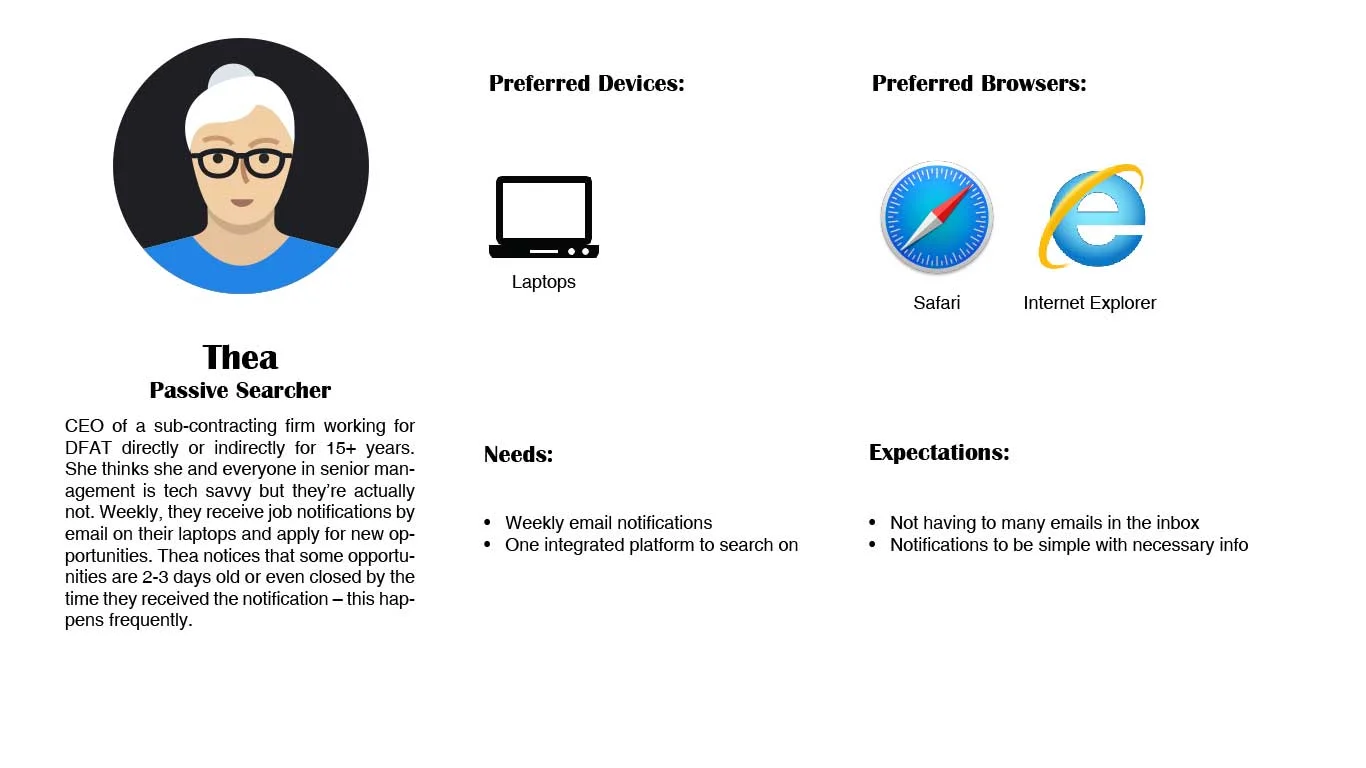
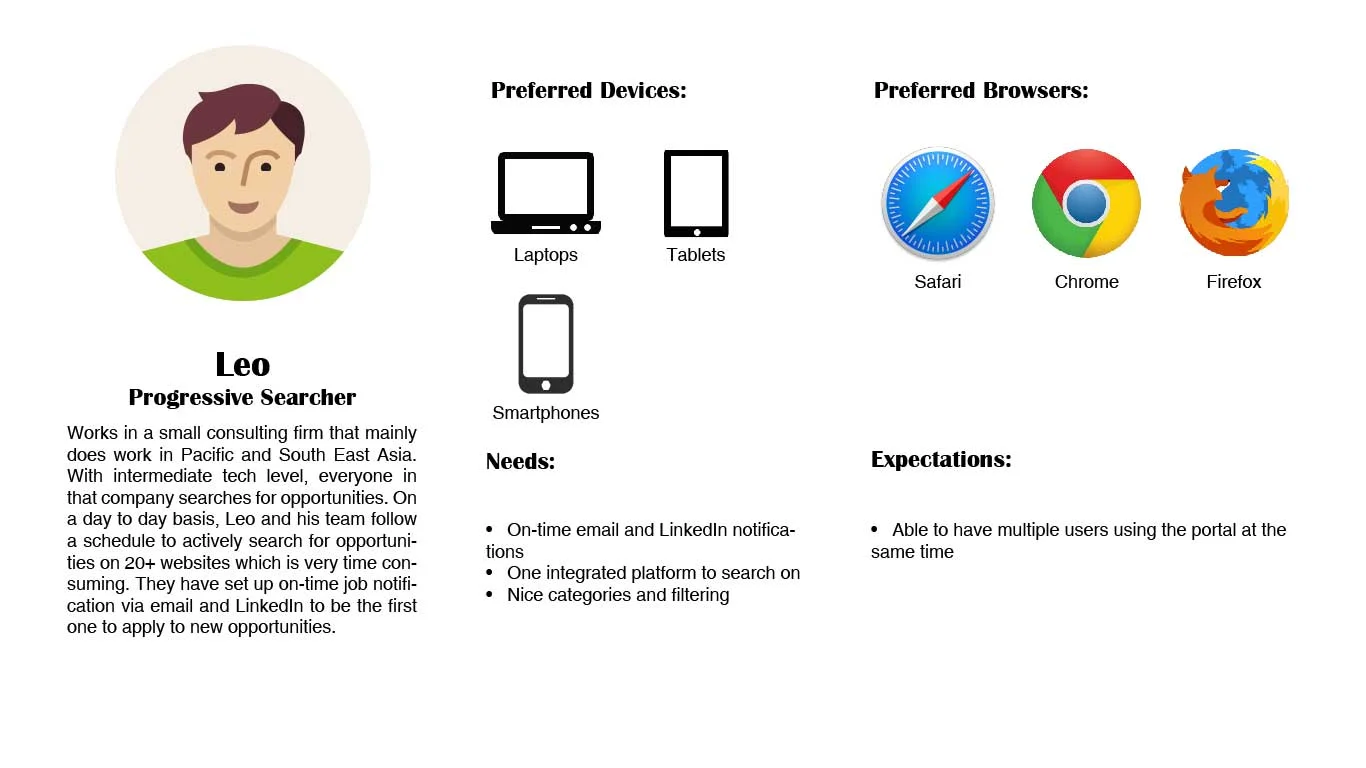
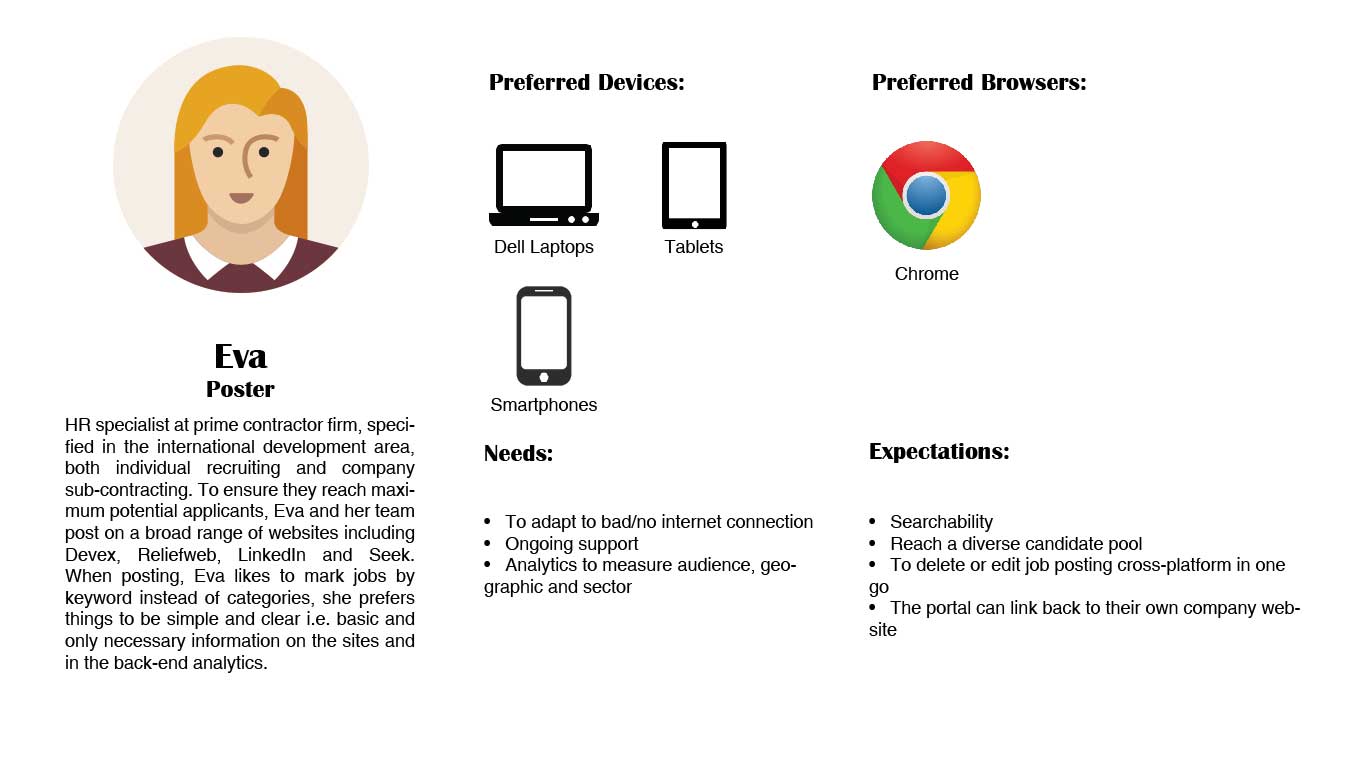
2) Distill user research data to identify user and stakeholder needs, including creating personas to represent different user types and mental models.
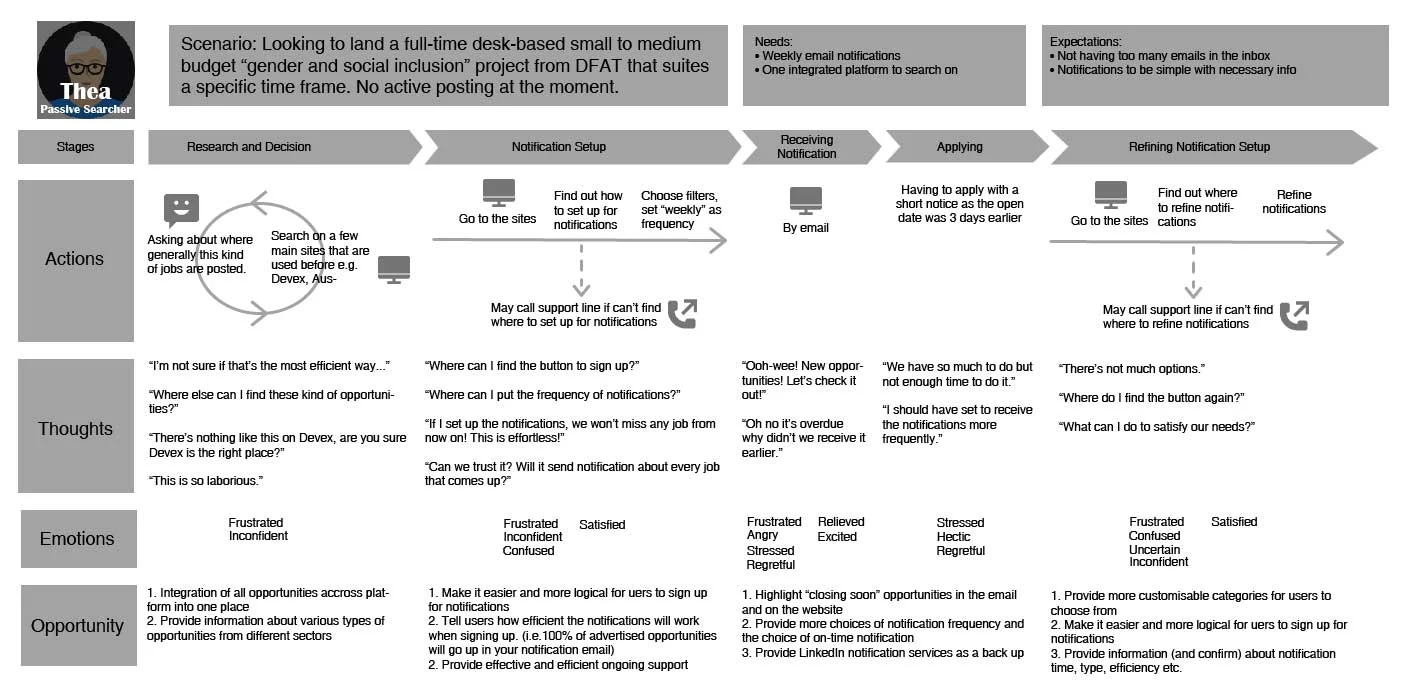
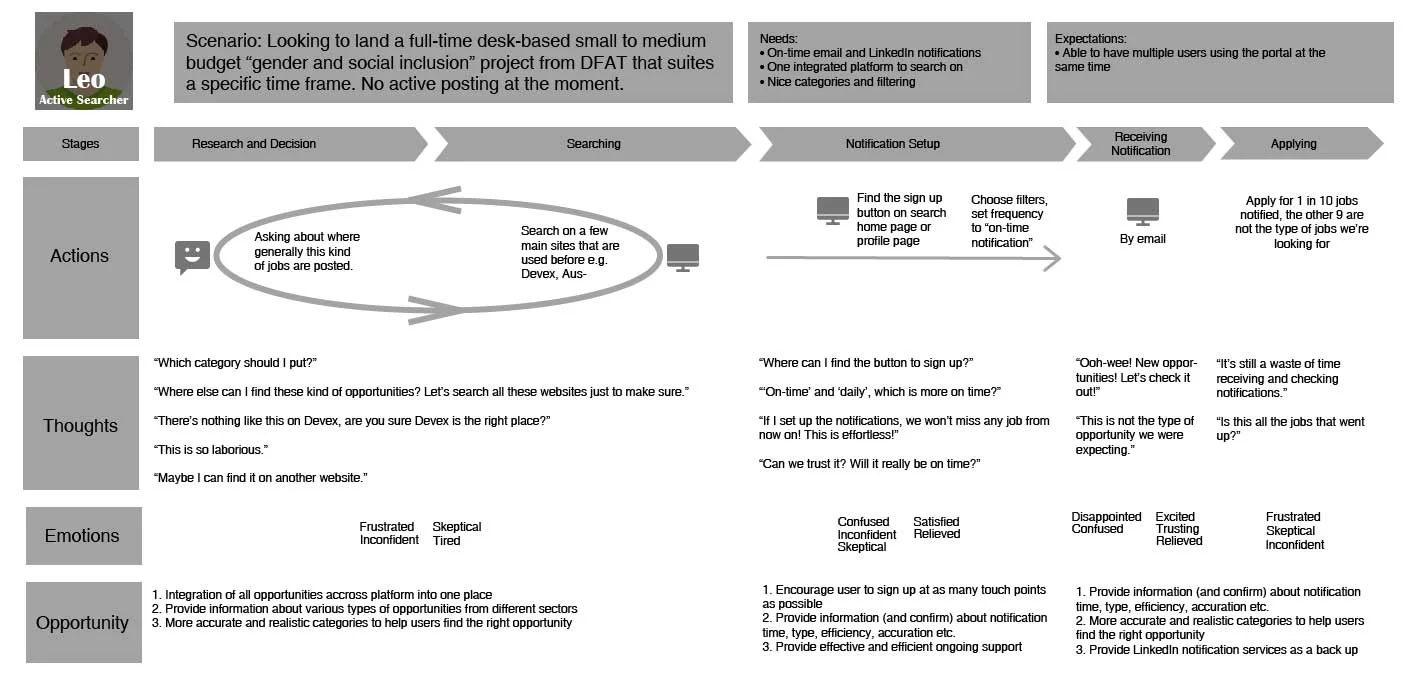
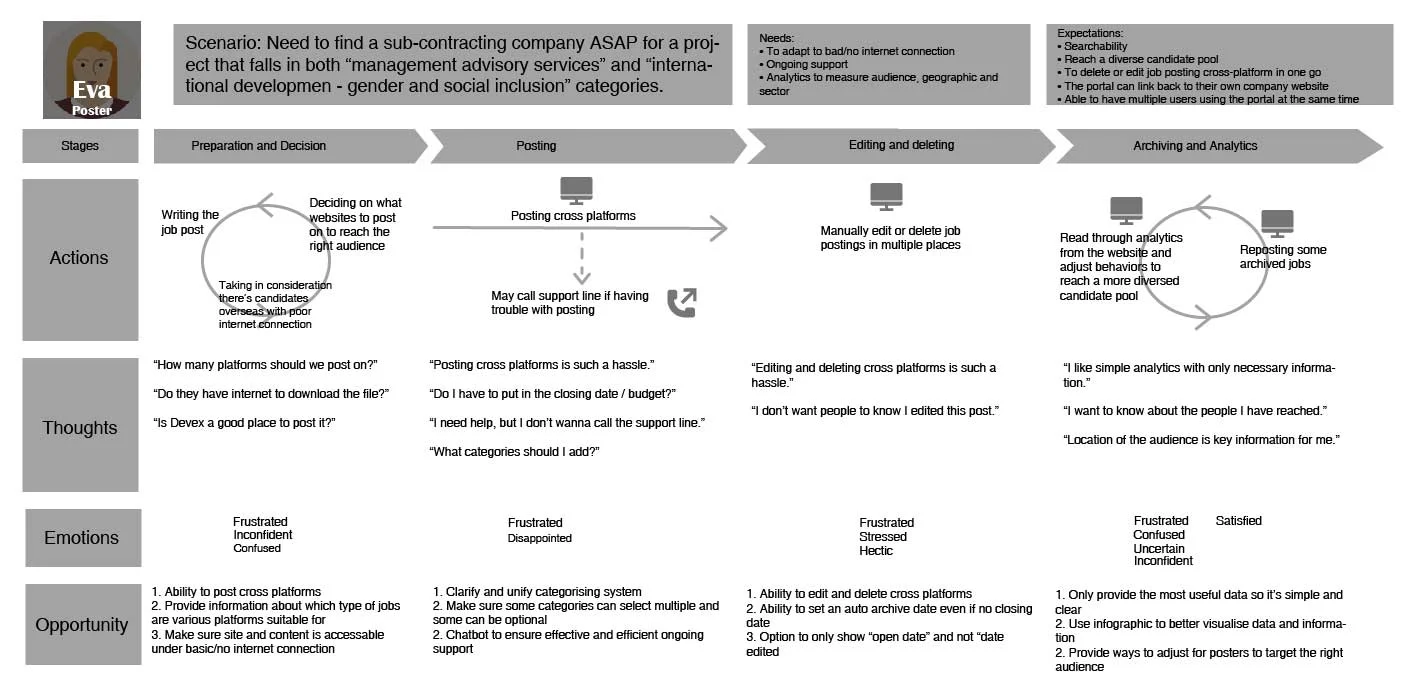
3) User journey mapping to determine gaps in both expectations and performance.
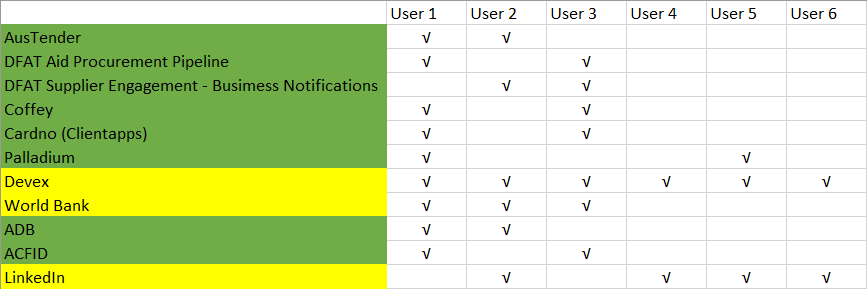
4) Assess comparator sites (competitive analysis), create a benchmark for measuring success in improvement of usability, and devise potential design solutions.
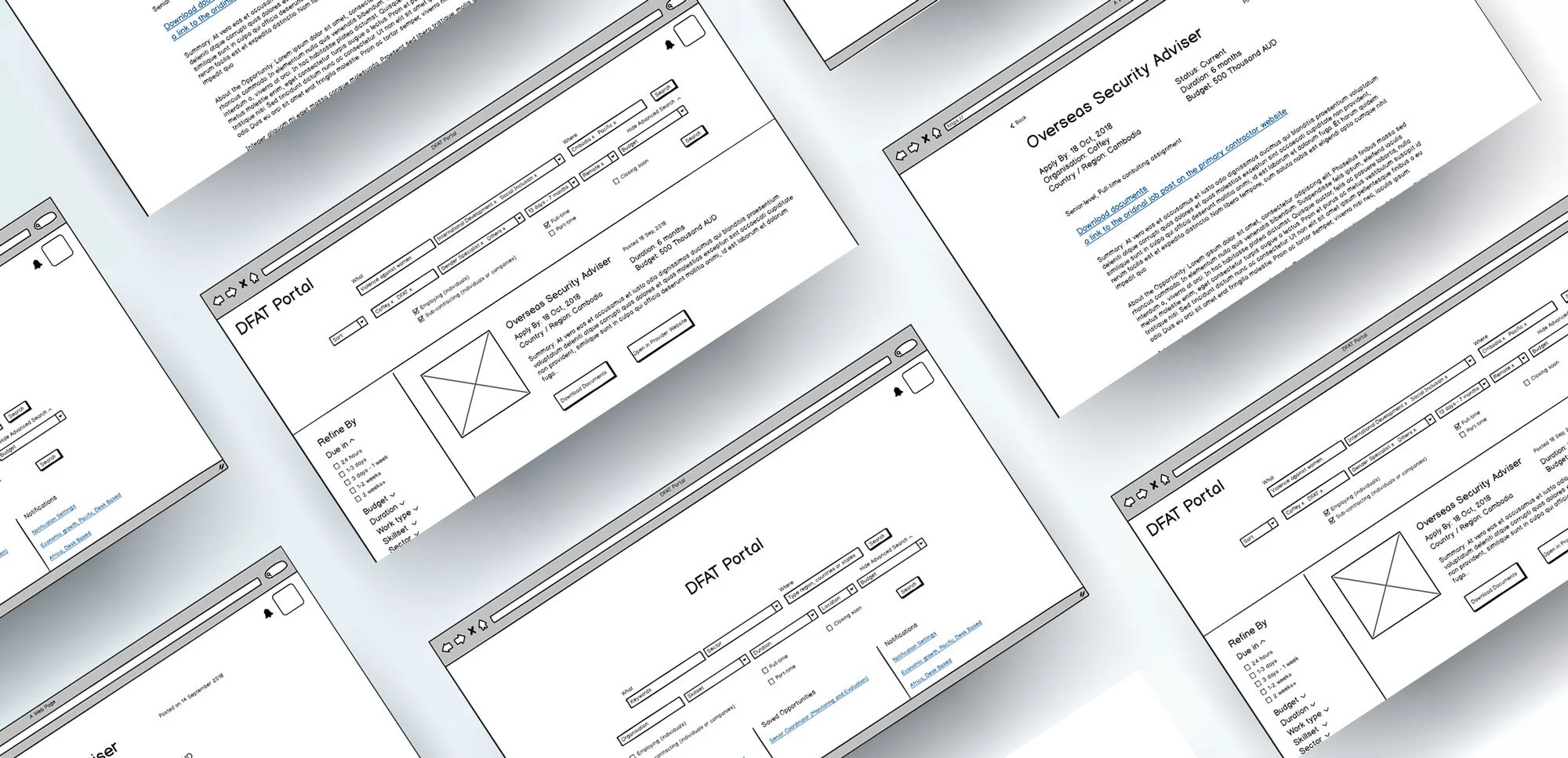
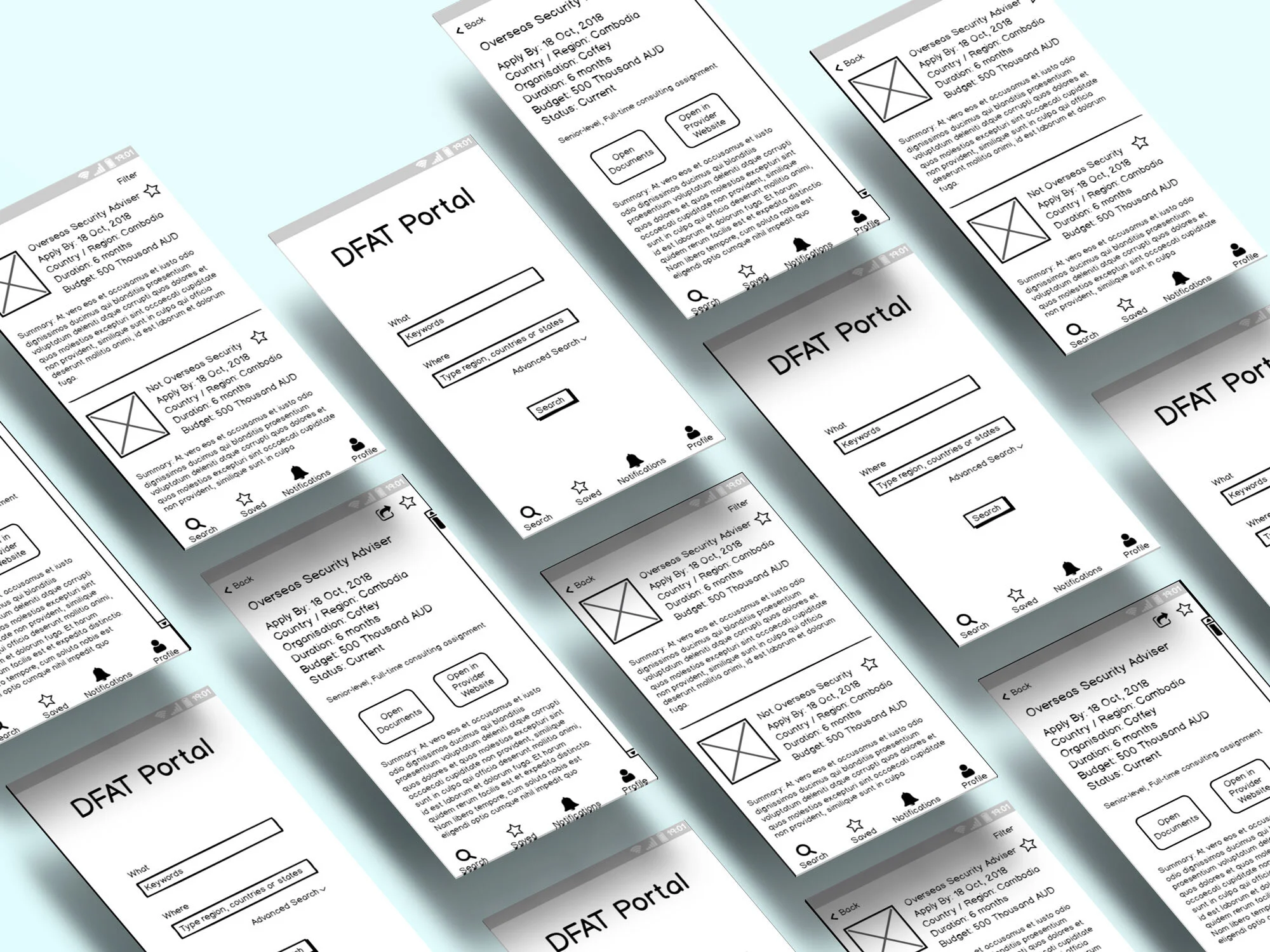
5) Wireframing and prototyping.
Users of the Aid Portal were struggling to efficiently find or post procurement opportunities due to unclear navigation, lack of customization, and limited guidance. Our challenge was to uncover these pain points and design a solution that improves confidence, efficiency, and usability.
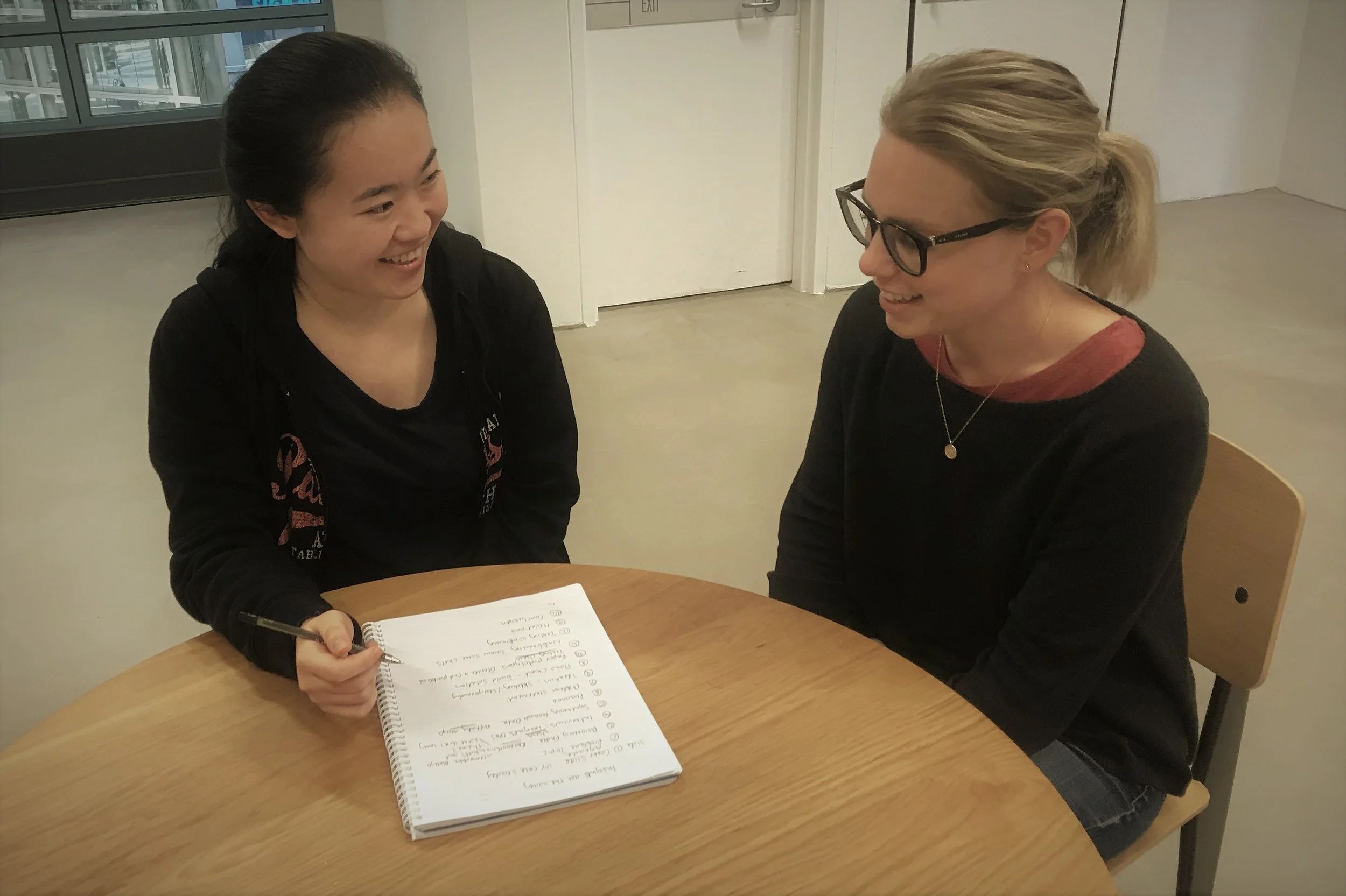
I conducted in-dept user research sessions with participants that covered a wide range of demographics and roles they play in an Aid procurement, including both sub-contractors and primary contractors. I collected findings and insights about their experience with existing products, behaviour, needs and expectation when searching or posting contracting opportunities online.
1) Tech Savviness
Most popular devices used are desktop or laptop computers. Smart phones are used by some participants to get notifications or follow a link.
Chrome and Microsoft Edge are the two most-used browser. Microsoft Edge is the default browser for most work places, with some participants switching to Chrome for their need of faster connection.
“Browser? I don’t know what browser we’re using. I think it’s the one with the big E.”
2) Mental model
Most participants reported a mismatch of categorisation on popular sites they use to their mental model, leading to a failure in targeting to the right sub-contractors.
Some participants reported that “international development“ is a common filler for “sector” and “skillset“ category, that doesn’t carry a specific meaning. When primary contractors post a job, category field is often a mandatory single select field, having to put a category in the listing deepens this mismatch situation and may make sub-contractors spend way more time trying to search for the listings they’re applying for.
Site structures and hierarchy are different across different platforms they use, users find it slow to adapt themselves navigating on different websites.
“It will be useful to have a due date and job duration at the top of a job posting page, followed by the summary of the posting stating what kind of job it is.”
I suggested CRE8IVE to do an IA remap of current search categories by conducting card sorting or tree-jacking to further identify essential fields and hierarchy in key information in an opportunity listing.
6) Timeframe
“I hate that I have to set a closing date.”
“Due date is important, and it’s better if it shows in the notification.”
“I’d like to be able to control length of posting.”
7) Notifications
“On-time notification is key.”
“Only 25% of the opportunities can be picked up immediately. We missed opportunities because of late or no notification.”
“I prefer email notifications with LinkedIn notifications as a back-up.”
“I’d like to be able to set notification frequency e.g. daily or weekly.”
8) Archive and analytics
Most of the platform auto-archives the job detail for overdue opportunities.
“Analytics is key. I’d like to see insights about audiences, clicks, their locations etc.”
“I prefer graphic data rather than words.”
Above is the affinity map to distill data into 3 personas.
To determine gaps in both expectations and performance.
Competitive list